
How to extract design tokens from a website
Every site has a design system, even when nobody wrote it down. Here is how to read it back out as tokens you can use.
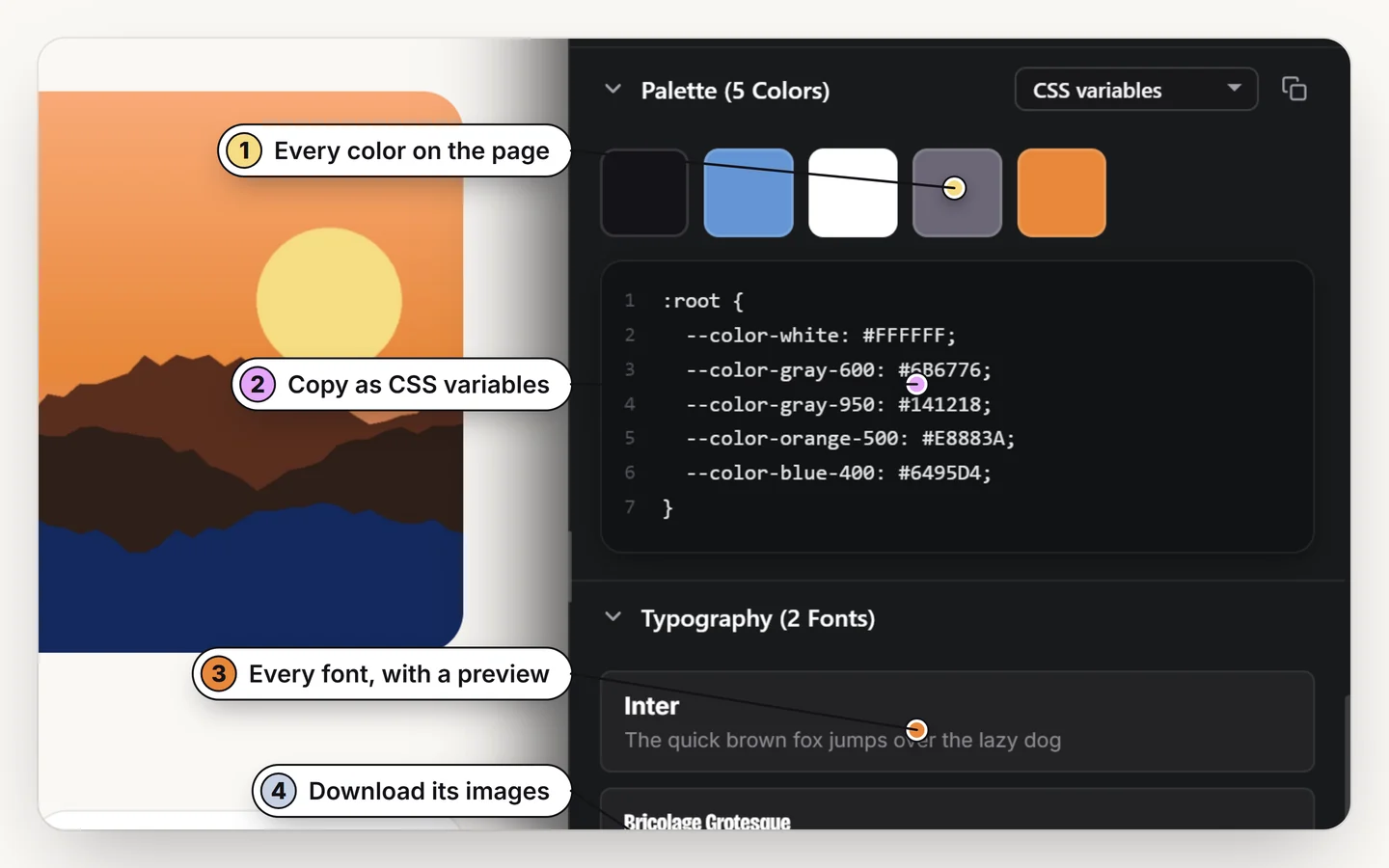
Open the page palette to list every color the page really uses, then export it as CSS variables, Tailwind or JSON tokens. Read the fonts and the spacing scale from a few key elements. The result is a small token set you can drop into a new project or a Figma file.
What are design tokens?
Design tokens are the named values a design is built from: colors, font families and sizes, spacing steps, radii and shadows. A token such as --color-brand or space-4 means the same thing in the design file and in code, which is what keeps the two in sync.
Step 1: get the colors
Open the page palette. It lists every color the page uses, including the greys and borders that carry a design but are easy to miss with an eyedropper. Pick the ones that matter: brand, text, background, border, accent.
Export them as CSS variables, Tailwind (v4 or v3) or JSON tokens, or paste them into Figma as one editable rectangle per color. The longer walkthrough is in how to find the colors used on a website.
Step 2: get the type
Hover a heading, a paragraph and a button. Note the family, size, weight, line height and letter spacing of each. Three or four text styles usually describe the whole site. See how to find what font a website uses for the rest.
Step 3: get the spacing
Measure the gaps between a card and its title, between two sections and around a button. Sites almost always use a scale (4, 8, 12, 16, 24, 32, 48 and so on). Four or five measurements reveal it. Measuring the distance between elements shows how.
Putting the tokens to work
:root {
  --color-ink: #141218;
  --color-brand: #e8883a;
  --font-display: "Bricolage Grotesque", sans-serif;
  --space-4: 16px;
}
Paste variables into your stylesheet, a Tailwind theme into your config, or JSON into a token pipeline. As always, take the values and learn from them; replace logos, images and licensed fonts with your own.
Read a design back out as tokens
Palette, type and spacing from any page. Free for 7 days.
Add to ChromeNo accountRuns locally14-day refund
Common questions
How do I get a website's color palette as CSS variables?
Open the page palette in Design Toolkit to list the colors the page uses, then export them as CSS variables, Tailwind or JSON tokens.
Can I export a palette to a Tailwind config?
Yes. Export as Tailwind v4 or v3.
What is the difference between design tokens and CSS variables?
Tokens are the idea: named design values. CSS variables are one way to store them in code. Tokens can also live in JSON or in a design tool.
Does it show the token names the site used?
Where the site defines its colors as custom properties the names can be read. Otherwise you name them yourself.