How to find the colours used on a website
One swatch is easy. The whole palette — with the alpha intact, the token names where they exist, and the colours that only appear on hover — takes a slightly different approach.
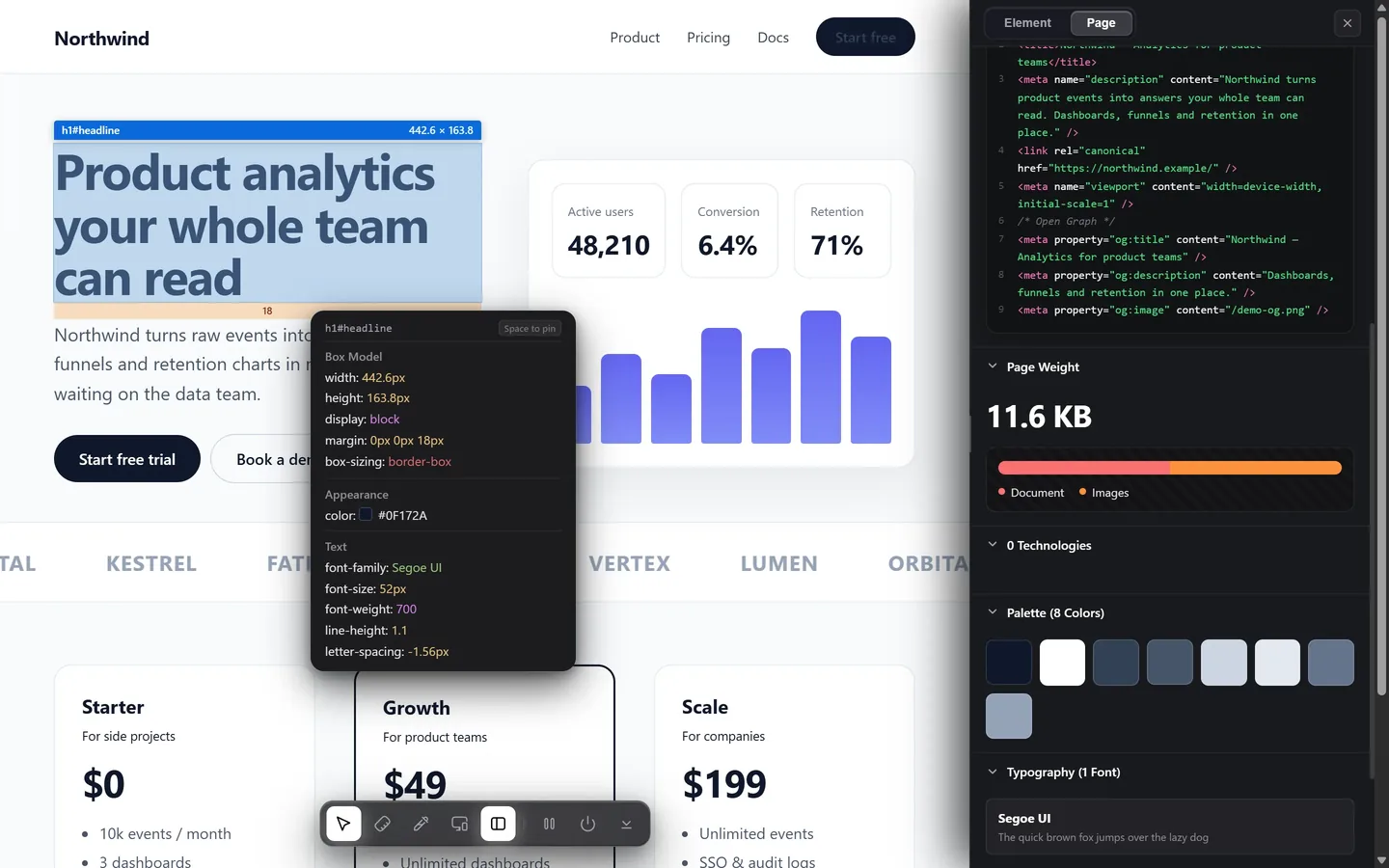
Use a page palette tool rather than an eyedropper: it walks the page and lists every colour in use at once. Then inspect the root element in DevTools and read the CSS custom properties — on any site built on design tokens, that is the palette as its own designers named it.
1. Get the whole palette at once
Picking colours one at a time with an eyedropper means you find the obvious ones and miss the rest — the border grey, the muted text, the hover fill, the state colours you never triggered.
A page palette tool walks every element, collects the colours the CSS actually declares, and groups them. Design Toolkit lists them by role — text, surfaces, borders, accents — with the alpha preserved rather than flattened, and shows how often each one appears, so the two or three that carry the design separate themselves from the fifty one-offs.
Free alternatives: ColorZilla's page analyser and CSS Peeper's palette view both do a version of this. Both give you flat hex codes.
2. Read the custom properties
This is the part most guides skip, and it is the best answer on any modern site.
Inspect the root element
Open DevTools and select <html> at the top of the Elements tree.
Open the Computed tab
Tick Show all, then filter for --. Everything beginning with two dashes is a custom property.
Read the names, not just the values
You will typically find something like --surface-raised, --text-muted, --accent, --border-subtle. That is the palette with its intent attached, which is worth more than the hex codes — it tells you what each colour is for, and therefore how to build an equivalent scale rather than copying values.
You can also list them from the console:
const style = getComputedStyle(document.documentElement);
[...document.styleSheets].flatMap(sheet => {
  try { return [...sheet.cssRules]; } catch { return []; }
})
  .filter(rule => rule.style)
  .flatMap(rule => [...rule.style])
  .filter(name => name.startsWith('--'))
  .forEach(name => console.log(name, style.getPropertyValue(name)));
Stylesheets served from another origin without CORS headers will throw, which is why the try is there — you get whatever is readable.
3. Do not miss the state colours
A static scan sees the page at rest. It never sees the button's hover fill, the input's focus ring, the link's visited colour or the error red that only appears on a failed form — and those are often the most characteristic colours in the whole system.
Two ways to get them:
- Force the state. In DevTools, select the element, open :hov in the Styles panel, and tick
:hoveror:focus. The styles update and you can read the colours. - Read the state rules directly. An inspector that reports what changes on hover gives you the before and after without forcing anything — useful when hovering the element would have dismissed it, as with a dropdown or a tooltip.
Why your extracted palette looks wrong
The single most common failure. A card defined as rgba(255, 255, 255, 0.06) over a near-black page samples as roughly #161616. That grey is correct on screen and wrong everywhere else — put it on a lighter background and the card disappears, because the original was never a grey. It was a translucent white layer that takes its character from whatever sits behind it.
Anything that samples pixels flattens this. To keep it, you need the authored value — from DevTools, or from a reader that reports alpha as declared. Same story with mix-blend-mode, gradients and backdrop filters.
Colours inside images and logos
No CSS, nothing to read. Here an eyedropper is the correct tool, or an image-palette extractor that clusters the pixels into dominant colours. Sample from a few different points — a logo rendered as a JPEG has compression artefacts and the pixel you land on may be a couple of steps off the brand colour.
The whole palette, alpha included
Every colour a page uses, grouped by role, with translucency preserved and hover states covered. Free for 7 days.
Add to Chrome — free trialCommon questions
How do I get every colour on a page at once?
A page palette tool, not an eyedropper. ColorZilla's analyser, CSS Peeper and Design Toolkit all walk the page and list what is in use, usually ordered by how often each colour appears.
Why does the palette I extracted look wrong when I use it?
Flattened alpha, almost always. White at 6% over a black page samples as dark grey; that grey on any other background is the wrong colour, because the original was a translucent layer rather than a fill.
Can I find a website's design tokens?
Often. Inspect the root element and read the CSS custom properties in the Computed tab — sites built on a design system declare their palette there with the authors' own names.
How do I extract colours from a logo or an image?
There is no CSS behind an image, so use an eyedropper or an image-palette tool. Sample a few points — compression artefacts can shift the pixel you land on.