
How to copy an Arabic, Hebrew or other right-to-left website into Figma
Right-to-left pages break in ways left-to-right ones do not: punctuation on the wrong side, bullets on the wrong edge, English words in a font nobody picked. Here is how to copy one cleanly, and how to check any tool that says it can.
Select a section or the whole page with Design Toolkit, use Copy to Figma and press Ctrl + V on the Figma canvas. Arabic and Hebrew text arrives as real, editable text in the order it was written, right-aligned like the page, with the page’s own text direction written on each layer and a font that has the letters. Then run the six-point check below on whatever you pasted. It works for any tool, not only this one.
Why right-to-left pages break when they are copied
A right-to-left page has three things a left-to-right page does not: the text itself runs from the right, the layout is mirrored (the first menu item sits at the right edge), and almost every real page mixes scripts, with English brand names, numbers and brackets inside Arabic or Hebrew sentences. A copy tool that treats the page as left-to-right gets one or more of these wrong:
- Words or letters in the wrong order, or Arabic letters that no longer join, when a tool reverses the text itself or draws it character by character instead of keeping real text.
- Punctuation and numbers on the wrong side. A line that starts with an English word is read as left-to-right unless the layer says otherwise, so the full stop or the exclamation mark lands at the wrong end of an Arabic sentence.
- Text pushed to the left after the page had right-aligned it.
- Bullets, numbers and icons on the wrong edge of a list or a menu.
- English words in a font with no good English letters. A font chosen for Arabic or Hebrew may not cover Latin letters well, so the English words in the line fall back to a font nobody picked.
How to copy a right-to-left website into Figma
1. Pick what to copy
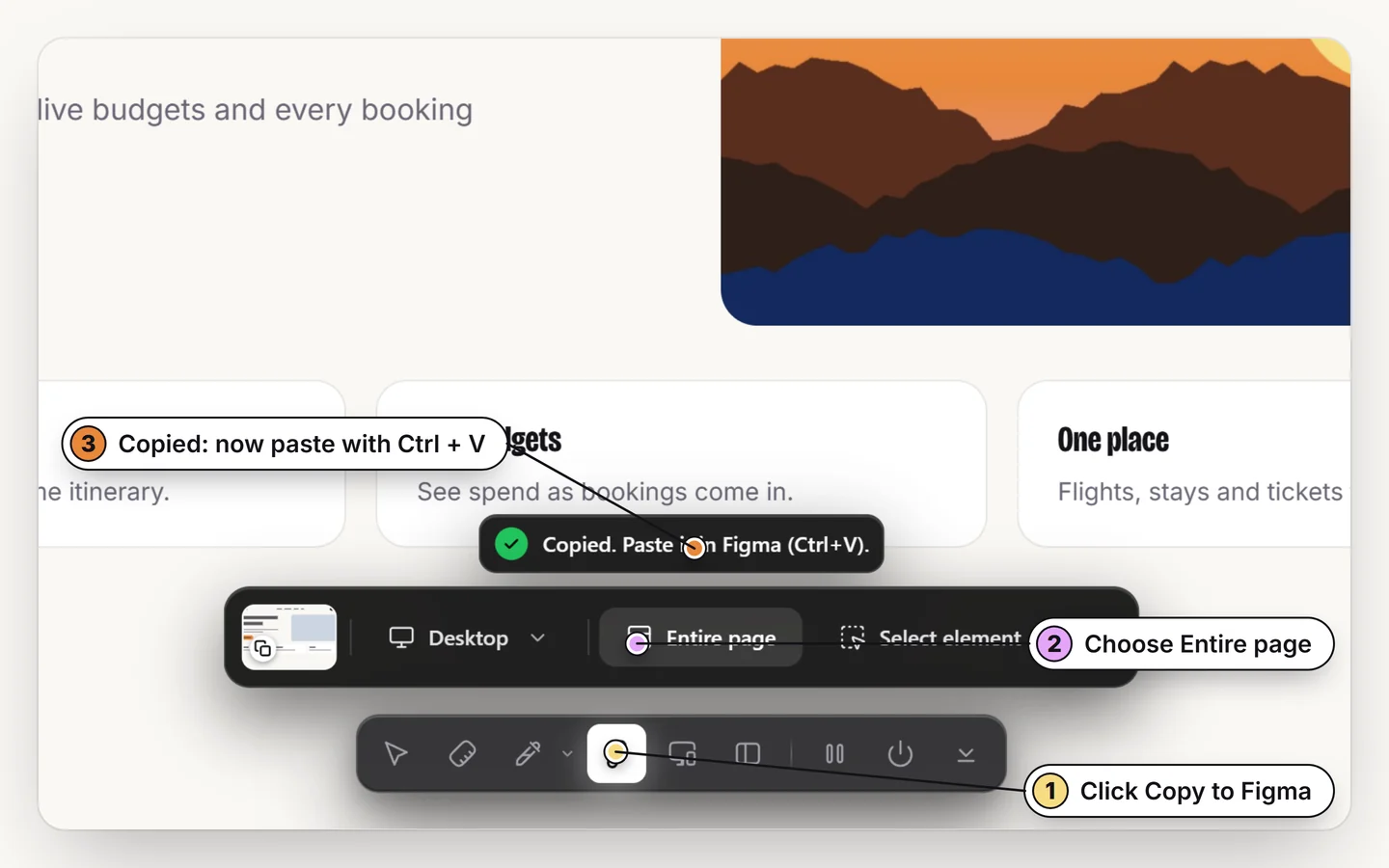
Turn Design Toolkit on with Alt + R and choose one section or the whole page. A single section pastes faster and is easier to check.
2. Copy it
Use the Copy to Figma button. The capture goes to your clipboard; nothing is uploaded and no account is involved.
3. Paste in Figma
Click the canvas and press Ctrl + V (⌘ + V on Mac). The text arrives as text layers, the blocks as frames with auto layout.
4. Run the six-point check
Compare the paste with the page using the list in the next section. It takes a minute and shows whether a capture can be trusted.
A six-point check for any right-to-left capture
Build or find a page with these cases, copy it with any tool, and look at the result next to the page:
- A mixed line. An Arabic or Hebrew sentence with an English brand name, a number and a word in brackets. The reading order and the side of each bracket match the page.
- A line that starts with English inside a right-to-left paragraph. The punctuation at the end stays on the correct side.
- Alignment. Right-aligned paragraphs stay right-aligned, centered ones stay centered, and an English block on the same page stays on the left.
- Menu and table order. The first menu item is at the right edge and the first table column is the right-most one.
- Lists. Bullets and numbers are on the right edge of the text.
- Fields and fonts. A field’s value or placeholder is right-aligned and is real text, and the English words in a line use an English font rather than a fallback.
What Design Toolkit does for each point
- Keeps real text. Each line is a text layer holding the characters in the order they were written. Figma does the shaping, so Arabic letters join as they should and you can retype the text.
- Writes the page’s direction. Every text layer carries the direction the page gave it: right-to-left on a right-to-left page, and an explicit left-to-right for an English block that contains Arabic or Hebrew words. Figma does not have to guess from the first letter.
- Follows the page’s alignment. Text that starts at the start edge of a right-to-left page is right-aligned in Figma; centered and left-aligned text stays as it was.
- Puts things where the browser put them. Boxes are placed from their real positions on screen, so a right-to-left menu, row or table comes out in the same order you see.
- Moves bullets and numbers to the right edge of a right-to-left list.
- Sets the font by script. Arabic and Hebrew words get a font that has those letters (the site’s own font when Figma has it, or Noto Sans Arabic or Noto Sans Hebrew when it does not), while the English words in the same line keep the site’s English font.
- Right-aligns field values and placeholders on a right-to-left page.
We checked this on a test page built from the six cases above and on the Arabic and Hebrew editions of Wikipedia. Figma lays the text out itself when you paste, so look at long paragraphs once to confirm the line breaks you want.
What to expect in Figma
- Custom fonts. If the site uses a licensed Arabic or Hebrew font that Figma does not have, Figma substitutes a similar font and widths change slightly. Swap in a font you have, such as Cairo, Tajawal, Almarai or Heebo, after pasting.
- Line breaks. Figma wraps the text with its own engine, so a long paragraph can break one word earlier or later than the page did.
- Layer order. The pasted auto layout lists items in the order they appear on screen from left to right; it is not a mirrored layout. The picture is the same, but the Layers panel reads left to right.
Copy a right-to-left page into Figma
Real text, the right direction, no plugin. Free for 7 days.
Add to ChromeNo accountRuns locally14-day refund
Common questions
Can I copy an Arabic or Hebrew website into Figma?
Yes. Design Toolkit copies the page as editable text layers and frames with auto layout, keeps the text in the order it was written, right-aligns it like the page and writes the page’s text direction on each layer. There is no plugin to install.
Which languages are right-to-left?
Arabic, Hebrew, Persian (Farsi), Urdu, Pashto, Kurdish (Sorani), Yiddish, Dhivehi and Syriac. Arabic, Persian and Urdu share the Arabic script, which Design Toolkit sets in a font with Arabic letters.
Why does my Arabic or Hebrew text look different in Figma?
Usually the font. Figma can only use fonts it has or that are installed on your computer, so a licensed font from the site is replaced. Change the font on the text layers after pasting.
Will lines that mix Arabic and English keep their order?
The text is kept in the order it was written and each layer carries the page’s direction, so mixed lines should read as they do on the page. Check a mixed line and a line that starts with English first; the six-point check above shows how.
Do I need a plugin to paste a right-to-left page into Figma?
No. The capture is written to your clipboard in a format Figma understands, so you paste with Ctrl + V on the canvas.
Is it free?
Every tool is free for 7 days with no card. After that, lifetime access is a single $5 payment.