
How to give an AI a website design to rebuild
A screenshot makes an AI guess at the spacing, the fonts and the colors. Real measurements make it reproduce them. Here is how to hand them over.
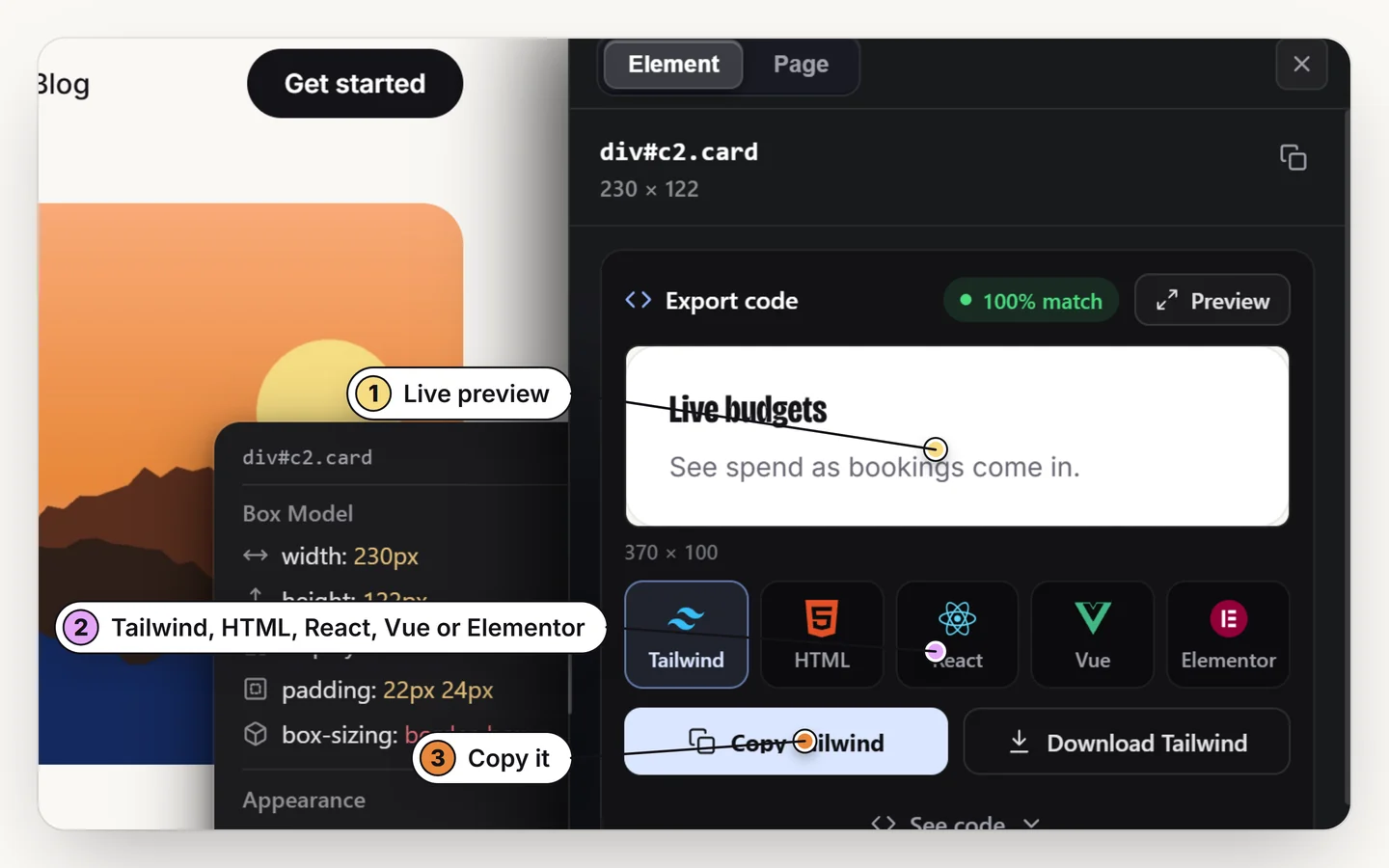
Give the AI the design as code and measured values, not just a picture. Select the section, export it as Tailwind, HTML, React, Vue or Elementor, check the preview, and paste it into your AI with one line asking it to rebuild the section. The numbers stop being a guess.
Why a screenshot is not enough
A screenshot has no numbers in it. The AI looks at pixels and estimates: that gap is probably 24 pixels, that grey is close to #6b7280, that font looks like Inter. Each estimate is slightly off, and the errors add up to a page that looks close but wrong.
Measured values remove the estimating. The real padding, the real hex codes and the real font sizes go in, so the result matches because nothing was left to guess.
How to hand a design to an AI
1. Select the section
Turn Design Toolkit on with Alt + R, click the section, then press O to open the Export card.
2. Pick a format and check the preview
Choose Tailwind, HTML, React, Vue or Elementor. The preview shows the result at phone, tablet and desktop widths before you copy.
3. Paste it into your AI
Use ChatGPT, Claude, Gemini, Cursor or any assistant you like, and ask it to rebuild the section in your project.
A prompt you can paste
Keep it short. The code carries the detail; the prompt only says what to do with it.
Rebuild this section in my project using the same layout,
spacing, fonts and colors. Use my existing components where
they fit. Do not change the text.

[paste the exported code here]
Name your stack (for example "React with Tailwind v4") when it differs from the export format, and the AI will adapt rather than copy.
What about animation?
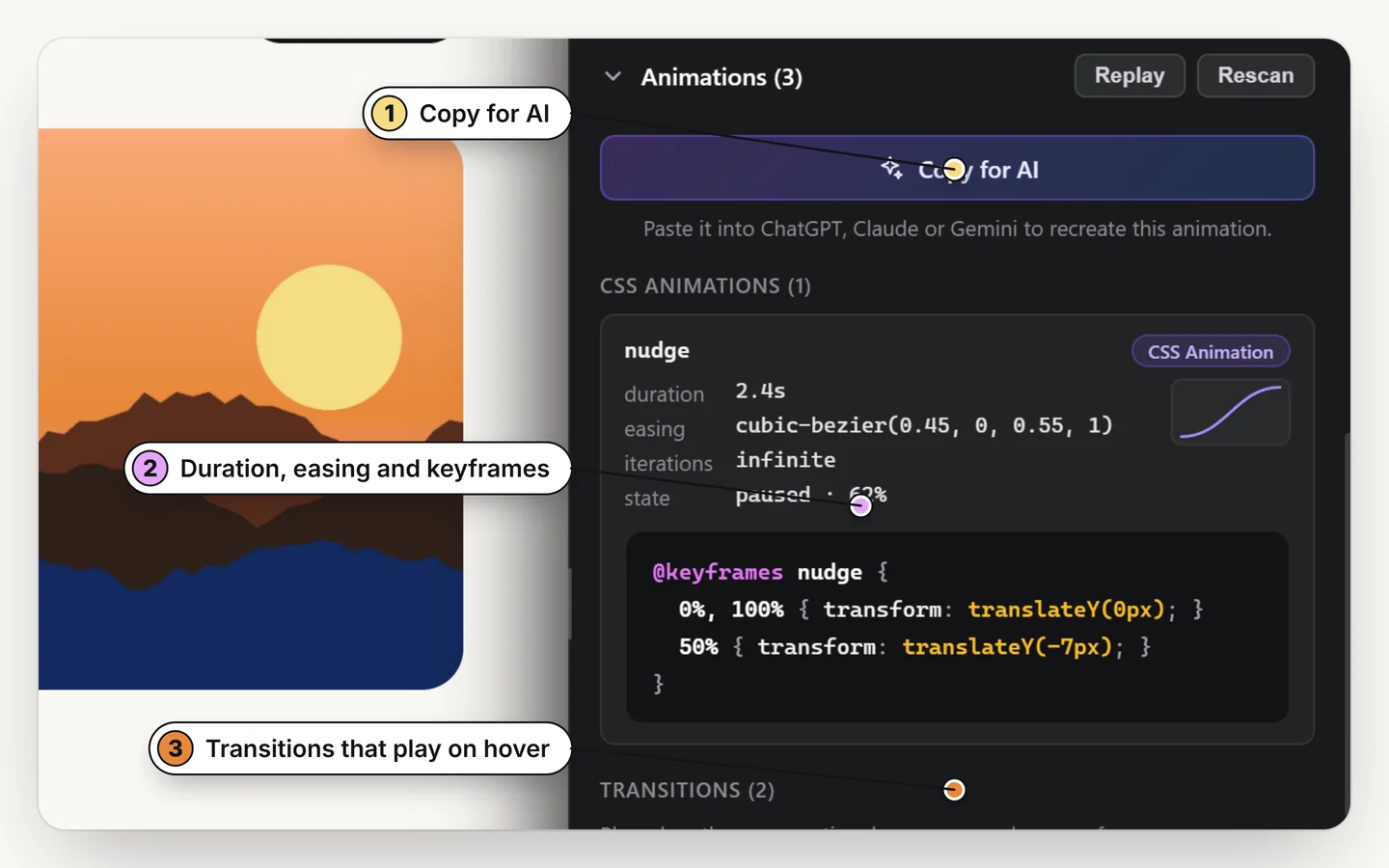
Motion is the other thing a screenshot cannot show. Select the element that moves and press Copy for AI in the Animations section of the side panel. You get a brief with the duration, easing, keyframes and the CSS, which your AI can turn into code for your framework. Read how to copy an animation from a website for the detail.
How to check what the AI built
- Compare it at the same three widths as the preview.
- Inspect one or two elements in your build and compare the numbers with the original: spacing, font size, color.
- Pages that rearrange themselves with JavaScript can export slightly differently, so treat the preview as the truth.
Give your AI the real design
Exact code, spacing and timing from any page. Free for 7 days.
Add to ChromeNo accountRuns locally14-day refund
Common questions
Can an AI clone a website from a screenshot?
It can produce something similar, but it has to estimate every spacing, color and font size. Giving it the real code and measured values gives a far closer match.
Which AI tools work with the exported code?
Any assistant that accepts pasted text: ChatGPT, Claude, Gemini, Cursor and others. The export is plain code.
What formats can I export a section in?
Tailwind, HTML, React, Vue or Elementor, with a preview at phone, tablet and desktop widths.
Is it okay to rebuild another site's design?
Learn from layout and spacing, but replace logos, photographs, copy and licensed fonts with your own.
Does it also work for animations?
Yes. Press Copy for AI on an element that moves to get a brief with the timing, easing, keyframes and CSS.
Can I give an AI the animation of an element too?
Yes. Select the element, open the side panel and press Copy for AI in the Animations section. It writes a brief with the timing, easing, keyframes, hover values and the CSS, ready to paste into ChatGPT, Claude or Gemini.