
How to pick a color from a website
One pixel, three formats, and a contrast check, without leaving the page you are looking at.
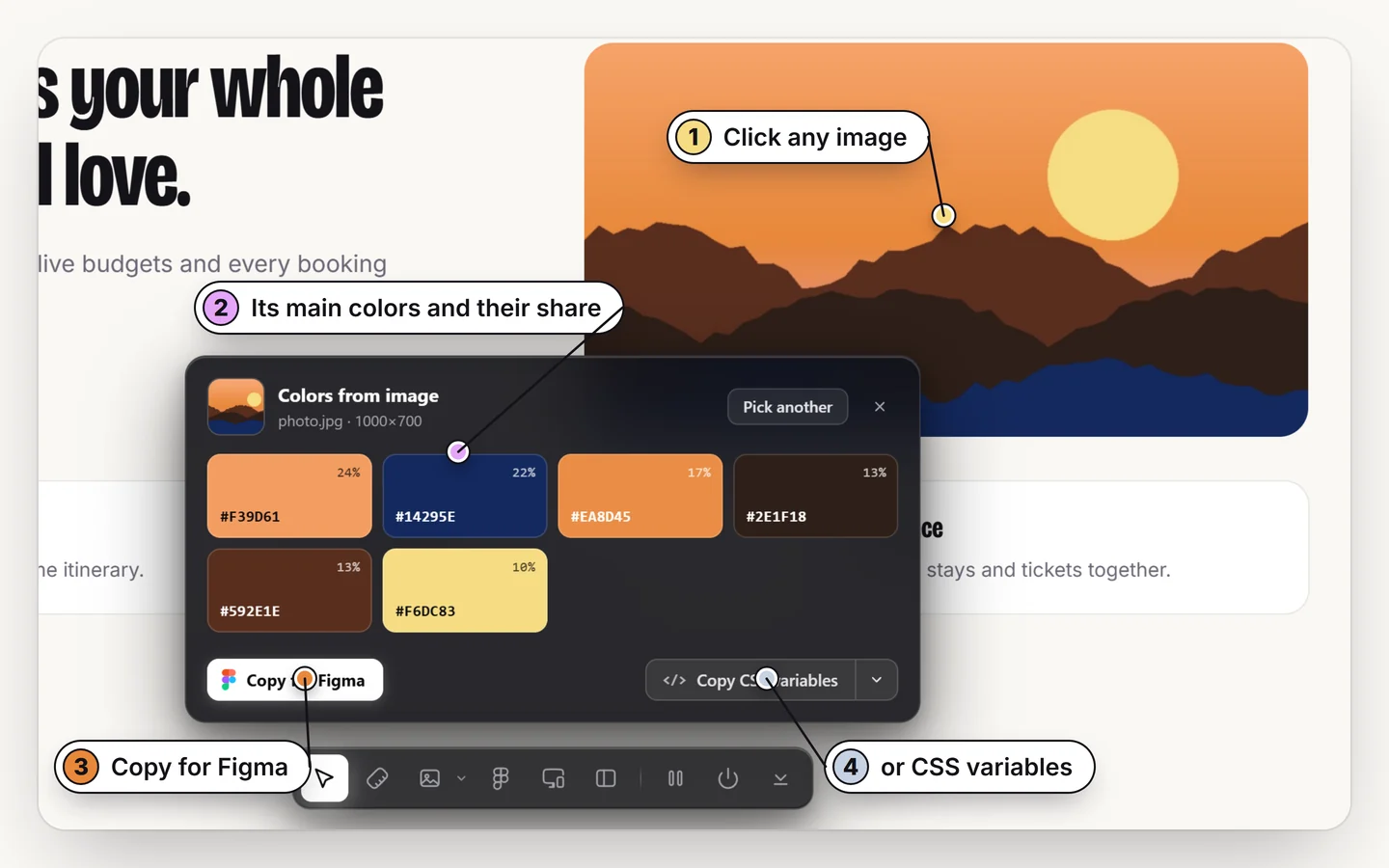
Turn on a color picker extension (in Design Toolkit, Alt + R, then C), point at any pixel and click. You get the color as HEX, RGB and HSL, ready to copy. To take a whole palette from a photo instead, press Shift + C and click the image.
How to pick a color from any web page
1. Turn on the picker
Press Alt + R, then C. The cursor becomes a color picker.
2. Point at a pixel
Move to the exact spot you want, on text, a button, an image or a background.
3. Click to copy
The color is shown as HEX, RGB and HSL. Copy the format you need.
HEX, RGB or HSL: which one?
| Format | Example | Use it for |
|---|---|---|
| HEX | #e8883a | CSS, design tools, most handoffs |
| RGB | rgb(232 136 58) | Code that needs channels or alpha |
| HSL | hsl(26 80% 58%) | Building tints and shades by changing lightness |
Check the contrast before you reuse it
A color that looks right can still fail for readers. Use the contrast check to see the WCAG ratio between text and its background, with an AA or AAA badge. Normal text needs 4.5:1 for AA; large text needs 3:1. The full guide is how to check color contrast on a website.
When you want more than one color
- Colors from an image:
Shift+C, click a photo or banner and get its whole palette (guide). - Every color on the page: the page palette lists them all (guide).
Pick any color on any page
HEX, RGB, HSL and contrast. Free for 7 days.
Add to ChromeNo accountRuns locally14-day refund
Common questions
How do I get the HEX code of a color on a website?
Turn on the picker (Alt + R, then C), point at the color and click. The HEX, RGB and HSL values are shown.
Can I pick colors from images and videos?
Yes. The picker reads rendered pixels, so it works on photos, backgrounds and video frames.
Why does a color look different from the CSS value?
Images, gradients, transparency and color profiles change what is painted. The picker reports the rendered pixel.
How do I check if a color is accessible?
Use the contrast check, which shows the WCAG ratio and an AA or AAA badge.